
Sometimes, after adding a new domain or subdomain to your SternHost account, the free SSL certificate may not activate immediately. Instead of waiting for the system's daily automated check, you can manually trigger the AutoSSL feature to secure your site instantly.
Why Run AutoSSL Manually?
While SternHost's system is designed to issue certificates automatically, there are a few reasons you might want to run the check yourself:
-
Immediate Security: You just created a new website and want it secured right now, rather than waiting for the overnight system cycle.
-
Fixing Errors: If your site is showing a "Not Secure" warning despite having an active hosting plan, running AutoSSL can often refresh the validation and fix the error.
-
Renewal Checks: If you receive a notification that a certificate is expiring, running this check can force the system to renew it early.
Step-by-Step Guide
Follow these simple steps to force the SSL check for your domains:
-
Log in to cPanel Access your cPanel dashboard via your SternHost client area or by visiting your generic cPanel URL (e.g.,
yourdomain.com/cpanel). -
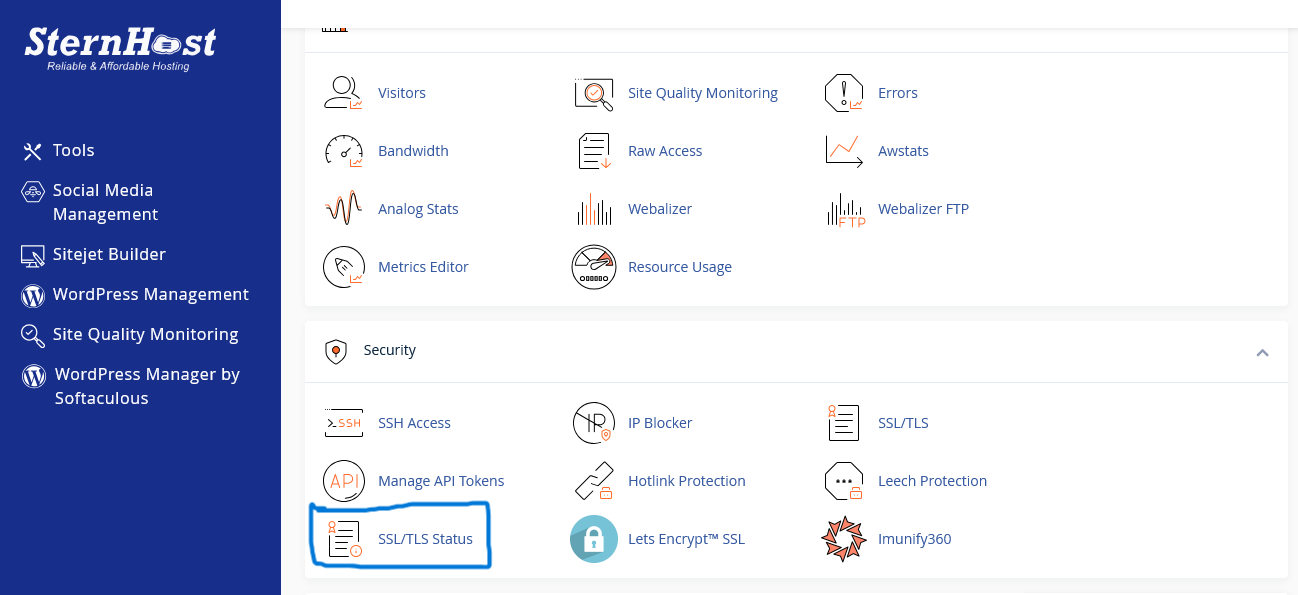
Navigate to SSL/TLS Status Scroll down to the Security section and click on the SSL/TLS Status icon. This is different from the standard "SSL/TLS" manager; this specific tool allows you to view the status of your AutoSSL coverage.
-
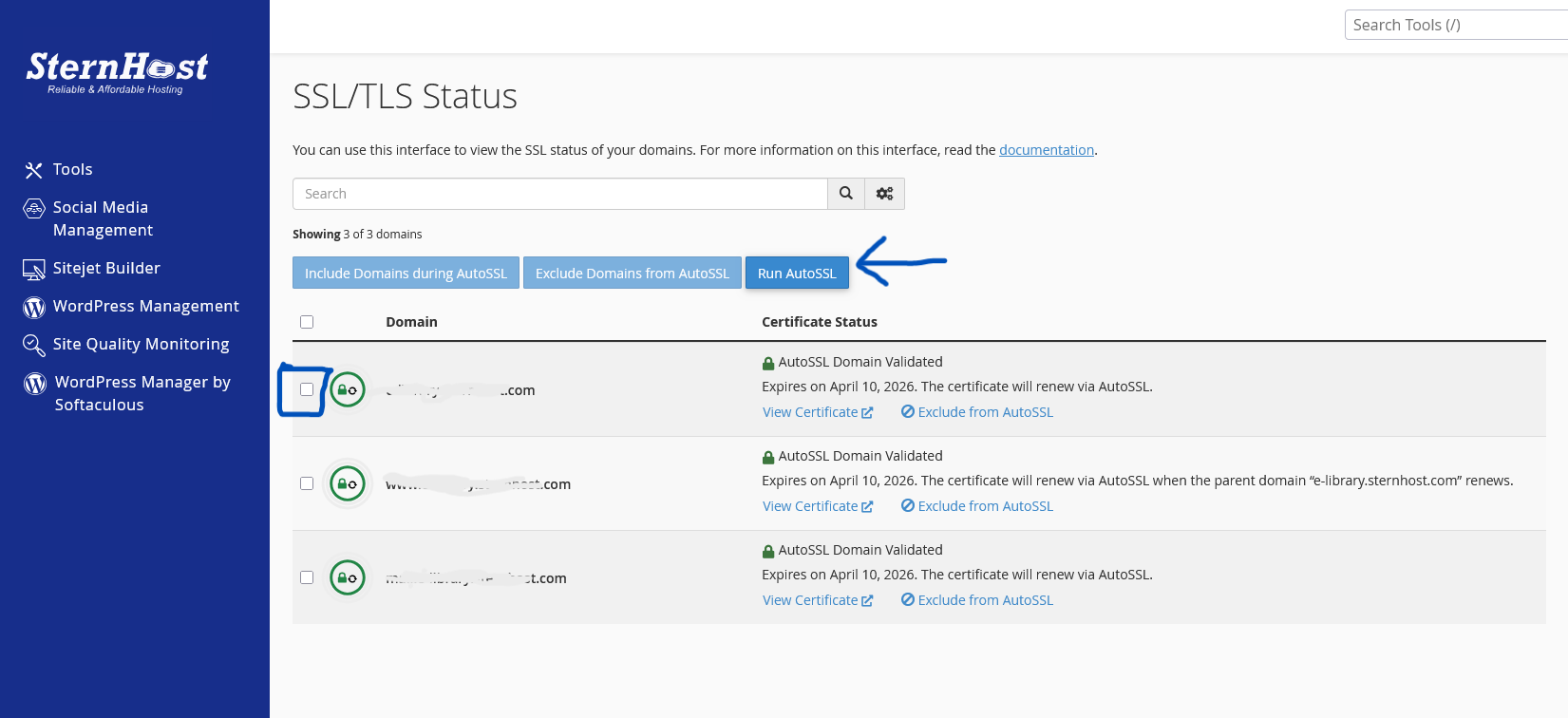
Select Your Domains You will see a list of all domains and subdomains associated with your account. Check the boxes next to the domains you want to secure. To secure everything, click the check box at the very top of the table to "Select All."
-
Click "Run AutoSSL" Locate the blue Run AutoSSL button at the top of the interface. Click it once.
The page will load for a few moments (usually 1 to 3 minutes) as the system communicates with the certificate provider (Let's Encrypt or cPanel) to validate your domain.
Confirming Success
Once the process is complete, the page will refresh. You should see a green padlock icon next to your domains, indicating they are now secured.
If you still see a red unlocked padlock or an error message, ensure that your domain name is correctly pointed to SternHost's nameservers, as the system cannot verify a domain that points elsewhere.


