
When other websites use the direct links of your images to display pictures on their own pages, it is known as hotlinking. Every time their page loads, it silently steals your server's bandwidth and can slow down your website's overall performance. By blocking this practice, you ensure your hosting resources are exclusively used for your actual visitors.
Thankfully, cPanel provides a simple, built-in tool to instantly stop unauthorized domains from embedding your media. This protects your bandwidth without requiring any heavy WordPress plugins.
Step 1: Accessing the Hotlink Protection Tool
You can secure your media files directly from your hosting dashboard in just a few clicks.
-
Log in to your Sternhost cPanel account.
-
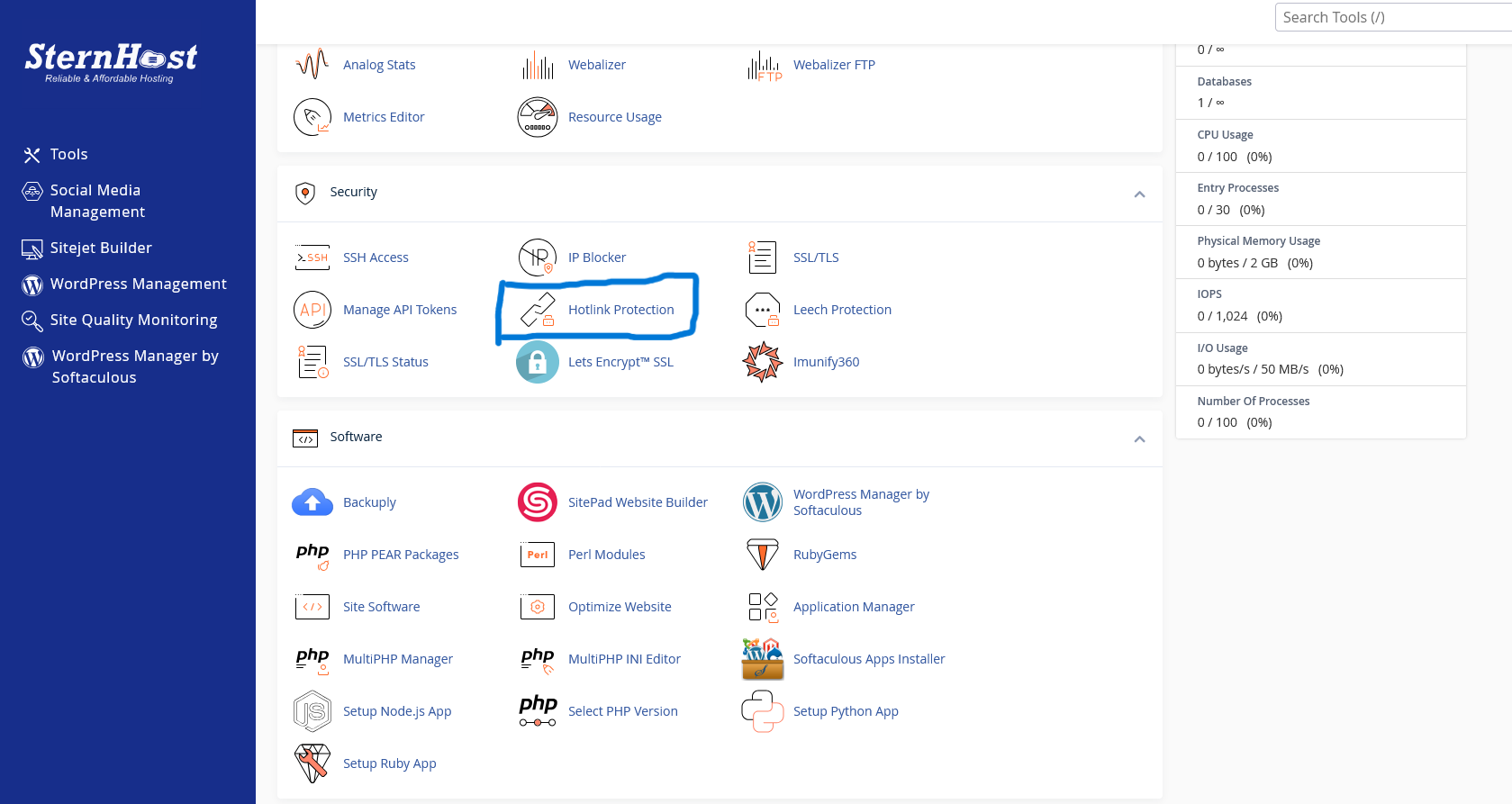
Scroll down to the Security section.
-
Click on the Hotlink Protection icon.
Step 2: Configuring Your Protection Settings
Once inside the tool, you will need to specify which websites are actually allowed to load your images so your own site doesn't break.
-
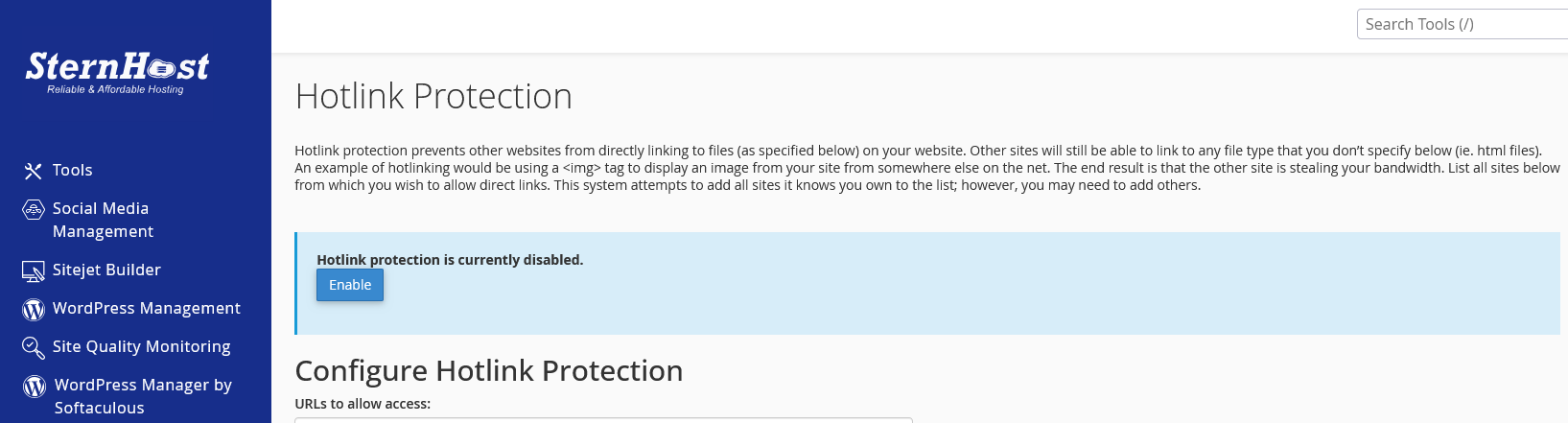
Click the Enable button at the top of the page to turn on the feature.
-
In the 'URLs to allow access' box, ensure your own domain names are listed.
-
In the 'Block direct access for the following extensions' box, verify that common image formats like jpg, jpeg, gif, png, and webp are included.
-
Click the Submit button to save your configuration.
Why Hotlink Protection is Essential
-
Preserves Bandwidth: It stops external sites from draining your monthly data transfer limits.
-
Improves Load Times: Your server spends less time processing external requests, freeing up resources for your users.
-
Content Control: It ensures your custom graphics and photos are only displayed where you intended.


