

The Small Business Website Maintenance Checklist (Printable)
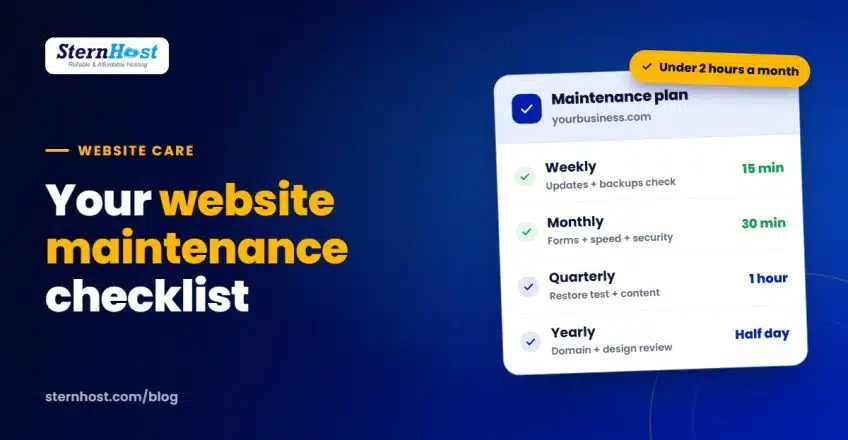
Most websites don't fail in one dramatic moment. They drift: a plugin falls behind on updates, a contact form quietly stops sending, a page loads a little slower each month, and one day a customer tells you the checkout doesn't work. A simple website maintenance checklist stops that drift for less than two hours a month.
This guide gives you a practical checklist split into weekly, monthly, quarterly and yearly tasks, written for small business owners rather than developers. Print it, put it in your calendar, or hand it to whoever looks after your site.
Quick answer: each week, update WordPress, plugins and themes and confirm backups ran. Each month, test forms and checkout, check speed and scan for malware. Each quarter, test a backup restore and refresh content. Each year, renew your domain, review your hosting and check your legal pages.
Weekly tasks (about 15 minutes)
- Update WordPress, plugins and themes. Most hacks exploit software that's out of date. Our step-by-step guide shows how to update WordPress core, themes and plugins safely, and the official WordPress update documentation covers the details.
- Confirm your backups ran. Don't assume. Check the date of the latest backup.
- Look at your site on your phone. Open the home page and one key page. Anything broken or slow?
- Clear spam from comments and form submissions.
Tip: update on a weekday morning, not Friday evening, so you have time to fix anything an update breaks.
Monthly tasks (about 30 minutes)
- Test every form. Submit your contact, quote and booking forms and make sure the email arrives.
- Test checkout or booking end to end if you sell online. Use a test product or a small real order and refund it.
- Check your speed. Run your home page through a speed test and compare it with last month.
- Run a malware scan and review any security warnings from your host.
- Check Google Search Console for errors, broken pages and security issues. If you haven't set it up, Google Search Console is free.
- Remove unused plugins and themes. Every unused plugin is extra code that can be attacked.
- Review user accounts. Remove former staff and freelancers who no longer need access.
Quarterly tasks (about 1 hour)
- Test a backup restore. Restore a recent backup to a staging site and check it works. Our guide to the 3-2-1 backup strategy explains why this matters.
- Fix broken links on your key pages.
- Refresh important content: prices, opening hours, team members, service lists and photos.
- Check your top pages in Google. Are the titles and descriptions still accurate?
- Change key passwords if anyone left the business or you suspect a leak, and turn on two-factor login where available.
Yearly tasks (half a day)
- Renew your domain, or confirm auto-renew is on and the payment card is valid.
- Check your SSL certificate renews automatically (look for the padlock).
- Review your hosting plan. Has traffic grown? Is the site slower than it was? It may be time to upgrade.
- Review your legal pages. Update your privacy policy, terms and cookie notice. See website legal pages every small business needs.
- Review the design. Does it still look current next to competitors, and does it work well on new phones?
- Update your copyright year in the footer.
Your website maintenance checklist at a glance
| How often | Tasks | Time |
|---|---|---|
| Weekly | Updates, backup check, phone check, spam | 15 min |
| Monthly | Forms, checkout, speed, malware scan, Search Console, users | 30 min |
| Quarterly | Restore test, broken links, content refresh, passwords | 1 hour |
| Yearly | Domain, SSL, hosting review, legal pages, design | Half day |
Keep a simple maintenance log
A maintenance log takes seconds to fill in and saves hours when something goes wrong. Use a shared spreadsheet with these columns:
| Date | Task | Who | Notes |
|---|---|---|---|
| 3 Nov | Updated 4 plugins and WordPress | Sam | Contact form plugin changed its settings screen |
| 3 Nov | Checked backup | Sam | Latest backup from 2:10am |
| 10 Nov | Tested checkout | Priya | Test order placed and refunded |
When a problem appears, the log tells you exactly what changed and when, which is usually the fastest way to find the cause. It also shows your web designer or host what's already been tried. If several people look after the site, the log stops two of them updating the same plugin on the same day, or both assuming the other one checked the backups.
DIY or hand it over?
If you're comfortable in WordPress, this checklist takes under two hours a month. If not, or if your time is better spent on customers, ask your web designer for a monthly care plan, or choose hosting that handles more of it for you. Either way, someone should own the list.
Frequently asked questions
What should be on a website maintenance checklist?
Software updates, backup checks, form and checkout tests, speed checks, malware scans, user account reviews, restore tests, content refreshes, and yearly domain, SSL, hosting and legal reviews.
How often should a website be updated?
Check for WordPress, plugin and theme updates at least weekly. Security updates should be applied as soon as possible, ideally after a fresh backup.
How much does website maintenance cost?
Doing it yourself costs only your time, about two hours a month. Agencies and freelancers typically charge a monthly care plan fee, which varies with the size of the site and what's included.
Can website maintenance be automated?
Partly. Backups, SSL renewals, malware scans and some updates can run automatically. Testing forms, checkout and restores still needs a human, so keep those on your calendar.
Make maintenance easier with the right hosting
Good hosting does a lot of this list for you. SternHost WordPress hosting includes automatic daily backups, free SSL that renews itself, Imunify360 malware scanning and fast LiteSpeed servers, so your weekly checks take minutes, not hours.
Get WordPress hosting from $1.50/month and keep your website maintenance checklist short.