

Google Workspace vs Hosting Email: Choosing Business Email Without Overpaying
Every small business needs an email address on its own domain, such as hello@yourbusiness.com. The question is where that email should live. Comparing Google Workspace vs hosting email comes down to one thing: are you paying for tools your team will actually use?
This guide compares the two options on cost, features, storage and setup, with a simple way to decide. By the end you'll know whether the email included with your hosting is enough, or whether a per-user service is worth it.
Quick answer: if you mainly need professional email addresses that work on phones and laptops, the email included with your hosting is usually enough and costs nothing extra. Choose Google Workspace (or Microsoft 365) if your team will genuinely use shared documents, calendars, video meetings and admin controls every day.
What each option includes
| Hosting email | Google Workspace (Business Starter) | |
|---|---|---|
| Cost | Included with your hosting plan | About $7 per user per month on an annual plan, at the time of writing (Google's pricing) |
| Email on your domain | Yes | Yes |
| Works in phone apps | Yes (Gmail, Outlook, Apple Mail via IMAP) | Yes (Gmail app) |
| Webmail | Yes (Roundcube) | Yes (Gmail) |
| Storage | Shared with your hosting plan | 30GB per user (pooled) |
| Docs, Sheets, Drive | No (use free tools separately) | Yes |
| Video meetings | No (use free tools) | Google Meet |
| Shared calendars | Basic | Yes, built in |
| Admin controls | cPanel email accounts | Full admin console |
Microsoft 365 Business Basic is priced similarly, at about $7 per user per month on an annual plan at the time of writing (Microsoft's plans), after a price increase in mid-2026.
The real cost over a year
Per-user pricing looks small until you multiply it:
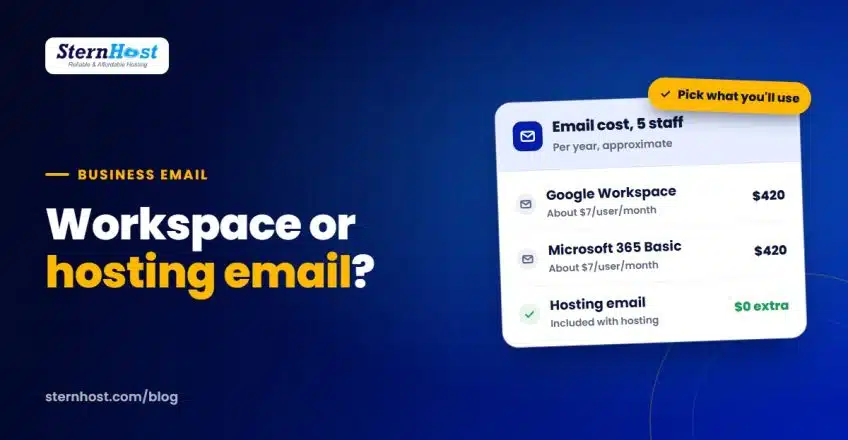
| Team size | Google Workspace or Microsoft 365 (about $7/user/month) | Hosting email |
|---|---|---|
| 1 person | About $84 a year | Included |
| 5 people | About $420 a year | Included |
| 10 people | About $840 a year | Included |
You also pay per mailbox, so shared addresses such as info@ or sales@ may need their own paid seat, or an alias set up carefully. With hosting email, you can create as many addresses as your plan allows and forward them wherever you like.
When hosting email is the right choice
Hosting email makes sense when:
- You need a few professional addresses (you@, info@, sales@) and nothing more
- Your team already uses free tools for documents and video calls
- You want to keep costs flat, not per person
- You'd like one bill for your website and email
- You already have, or are about to buy, a domain. If not, see how to choose a domain name first
Set it up properly and it's just as reliable for day-to-day use: add it to the Gmail or Outlook app with IMAP, and set up SPF, DKIM and DMARC so messages land in the inbox. Our guide to SPF, DKIM and DMARC explains how.
When Google Workspace is worth paying for
Choose Google Workspace (or Microsoft 365) when:
- Your team collaborates on documents all day and needs shared drives with permissions
- You run lots of video meetings with clients
- You need admin controls: resetting staff passwords, wiping lost phones, managing who sees what
- You need large mailboxes for staff who keep years of email with big attachments
- You're growing quickly and want everything (email, files, calendars) in one managed system
If that's you, the per-user cost buys real productivity.
The middle path: mix and match
You don't have to choose one for everyone:
- Keep general addresses (info@, sales@, support@) on your hosting email
- Give paid Workspace seats only to staff who need Docs, Drive and Meet every day
This works as long as your DNS is set up correctly for both. It's more advanced, so ask your host for help before you change MX records.
Google Workspace vs hosting email: how to decide
Ask three questions:
- Will each person use the extra tools weekly? If not, you're paying for features nobody uses.
- How many people need an address? The more people, the bigger the gap in cost.
- Who will manage it? Workspace's admin console is powerful but takes time to set up. Hosting email is managed from cPanel in minutes.
Most small businesses with under five people start with hosting email, then move specific staff to Workspace if and when they outgrow it.
Frequently asked questions
Is hosting email reliable enough for a business?
Yes, for most small businesses. Use strong passwords, set up SPF and DKIM, and access it through a phone app or webmail. Choose a host with daily backups so important mail can be recovered.
Can I switch from hosting email to Google Workspace later?
Yes. You create the Workspace accounts, migrate old messages, then change your domain's MX records to point to Google. Plan it for a quiet day, as mail delivery switches over once DNS updates.
Google Workspace vs hosting email: which is better for one person?
For one person, hosting email is usually enough unless you rely heavily on Google Drive and Meet. You can still use free Google tools with a personal account alongside your business email.
Can I use my hosting email in the Gmail app?
Yes. Add it as an "Other" IMAP account in the Gmail app, and you can send and receive from you@yourbusiness.com on your phone.
Professional email, included with your hosting
If what you need is professional addresses that work everywhere, you don't need to pay per person. SternHost hosting includes email accounts on your own domain, with webmail, phone app support, daily backups and free SSL, all managed from cPanel.
Get web hosting with business email from $1/month, and add paid collaboration tools only when your team actually needs them.