

A Website Accessibility Checklist Any Small Business Can Follow
About one in six people worldwide lives with a significant disability, according to the World Health Organization. Some can't see your images, some use only a keyboard, and many simply struggle with small, low-contrast text on a phone. If your website doesn't work for them, they leave, and they buy from someone else.
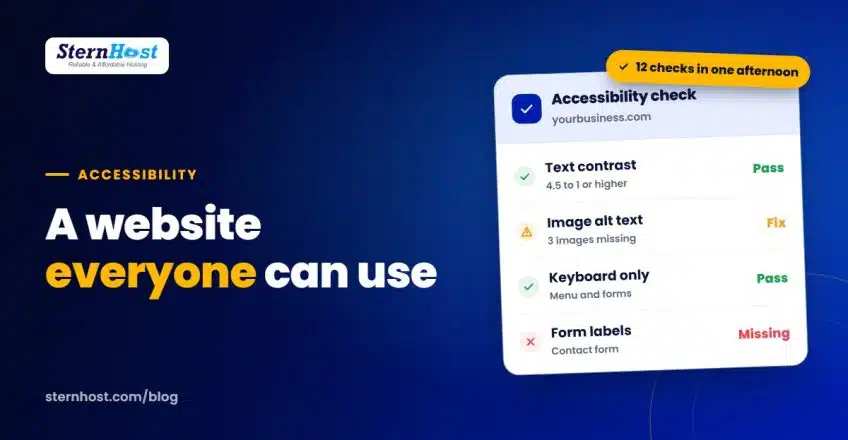
This website accessibility checklist is written for small business owners, not developers. It covers 12 checks you can do yourself in an afternoon, which laws to be aware of, and how to fix the most common problems.
Quick answer: an accessible website has readable text with strong contrast, alt text on meaningful images, works with a keyboard only, has labelled forms, clear headings and link text, and captions on videos. The standard to aim for is WCAG 2.2 level AA.
Why accessibility matters for a small business
- More customers. People with disabilities, older visitors and anyone on a small screen in bright sunlight all benefit.
- Better SEO. Clear headings, descriptive links and alt text are exactly what search engines read.
- Legal risk. Accessibility lawsuits and complaints aren't only aimed at big companies (see the next section).
- It's cheaper to build in. Fixing accessibility during a redesign costs far less than patching it later.
The rules to know (at the time of writing)
Laws differ by country, and this isn't legal advice, but these are the main ones small businesses meet:
| Where | What applies |
|---|---|
| International standard | The Web Content Accessibility Guidelines (WCAG) 2.2, published by the W3C. Level AA is the usual target. |
| European Union | The European Accessibility Act has applied since 28 June 2025 to many consumer products and services, including online shops selling to people in the EU. Micro-enterprises (fewer than 10 staff and turnover or balance sheet of €2 million or less) providing services are exempt. |
| United States | The Americans with Disabilities Act (ADA) is widely applied to business websites by the courts, and website accessibility lawsuits are common. |
| United Kingdom | The Equality Act 2010 requires "reasonable adjustments" for disabled customers, which covers websites. |
Even where you're not legally required, following WCAG is the simplest way to show you've made a reasonable effort.
Website accessibility checklist: 12 checks
Work through these on your homepage (our guide to what to put on a small business homepage covers its layout), a typical service or product page, and your contact or checkout page.
Text and colour
- Contrast. Body text should have a contrast ratio of at least 4.5:1 against its background (3:1 for large text). Check with the free WebAIM Contrast Checker. Light grey text on white is the most common failure.
- Text size and zoom. Zoom your browser to 200%. Everything should still be readable, with nothing cut off or overlapping.
- Colour isn't the only signal. Don't rely on red or green alone, for example to show a form error or "in stock". Add text or an icon too.
Images and media
- Alt text on meaningful images. Describe what the image shows or does ("Chocolate birthday cake with candles"). Decorative images should have empty alt text so screen readers skip them. In WordPress, set it in Media → Library → Alternative Text.
- No text baked into images. Prices or offers written inside a picture can't be read by screen readers or translated. Put them in real text.
- Captions on videos. Add captions to any video with speech, and avoid audio that plays automatically.
Keyboard and navigation
- Keyboard only. Put your mouse aside and press Tab through the page. You should be able to reach the menu, every link, button and form field, and always see where you are (a visible focus outline).
- Headings in order. Each page has one main heading (H1), then H2s and H3s in a logical order. Use headings for structure, not just to make text bigger.
- Descriptive link text. "Download our price list" tells people where a link goes. "Click here" and "Read more" don't, especially for screen reader users who list all links on a page.
Forms and interactions
- Labelled form fields. Every field needs a visible label, not just placeholder text that disappears when you type. Error messages should say what's wrong and how to fix it.
- Pop-ups that can be closed. Cookie banners, newsletter pop-ups and chat widgets must be easy to close with a keyboard, and shouldn't trap focus.
- Language and page titles. Each page has a unique, meaningful title, and the page language is set (WordPress does this from Settings → General → Site Language).
Tools that help (free)
- WAVE checks a page and highlights missing alt text, contrast issues and empty links.
- Lighthouse in Chrome (right-click → Inspect → Lighthouse) gives an accessibility score with fixes.
- A screen reader: NVDA on Windows or VoiceOver on Mac and iPhone. Five minutes of listening to your own site is eye-opening.
Automated tools catch only some problems, often estimated at around a third, so do the manual keyboard and zoom checks as well.
Common fixes, and who should make them
| Problem | Fix it yourself? |
|---|---|
| Missing alt text | Yes, in the media library |
| Vague link text | Yes, edit the wording |
| Headings out of order | Usually yes, in the page editor |
| Low-contrast theme colours | Sometimes, in theme settings; otherwise a designer |
| Menus that don't work with a keyboard | Usually needs a developer or a better theme |
| Unlabelled form fields | Often a form plugin setting; otherwise a developer |
Avoid "accessibility overlay" widgets that promise one-click compliance. They don't fix the underlying code, and many disabled users find them get in the way.
Frequently asked questions
Is there a legal requirement for my small business website to be accessible?
It depends on where you and your customers are. In the EU, the European Accessibility Act covers many online shops, with an exemption for micro-enterprises providing services. In the US and UK, disability discrimination laws are applied to websites. Following WCAG 2.2 AA is the safest approach.
What is the quickest website accessibility checklist item to fix?
Alt text and link text. Both can be fixed in the WordPress editor in minutes, with no technical skills.
Does accessibility slow down my website?
No. Accessible sites usually use cleaner code, real text instead of images of text, and fewer heavy widgets, which often makes them faster.
How often should I check my website's accessibility?
Run through the checklist after any redesign, new theme or new plugin, and spot-check new pages as you publish them.
Get a website built to be accessible from day one
If your checks turned up problems in the theme, menus or forms, fixing them page by page can cost more than doing it properly. SternHost's web design team builds fast, mobile-first websites with readable contrast, keyboard-friendly menus and labelled forms as standard.
Talk to SternHost about web design, and get a website that works for every customer who visits.